
AI tools for NZ small businesses: where to actually start
61% of NZ small businesses are already using AI. The other 39% are wondering what all the fuss is about, or finding the whole thing overwhelming. Here’s a straightforward starting point.
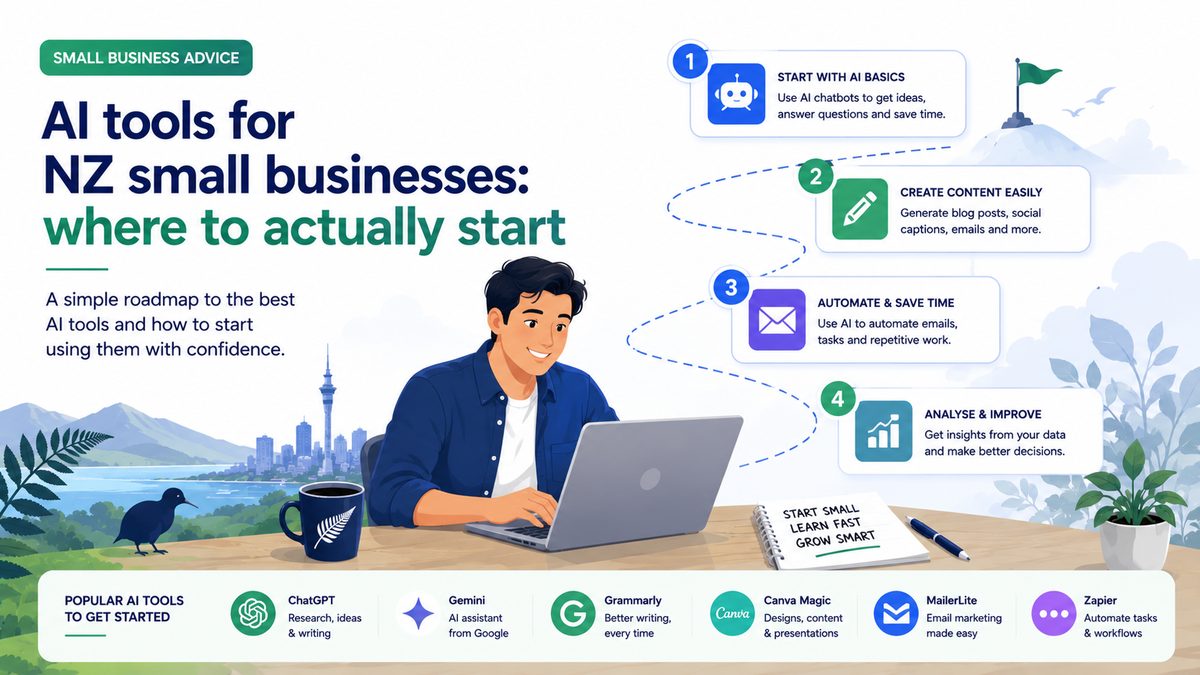
You don’t need to understand how AI works to use it. You just need to know what it’s good at, what it’s bad at, and where to start. Here’s a practical guide for NZ small business owners with no tech background.
What AI actually is (in plain English)
AI tools like ChatGPT, Claude, and Microsoft Copilot are text-based assistants trained on enormous amounts of information. You type a question or a task, and they respond in natural language. Think of them as a very well-read colleague who types fast, never gets tired, and doesn’t need to be paid by the hour.
They’re not magic, and they’re not infallible — they sometimes get things wrong, and they don’t know your business the way you do. But for a growing set of tasks, they’re genuinely useful.
What NZ small businesses are using AI for
A Xero survey found 61% of NZ SMEs are already using AI tools. The most common uses: writing (emails, social posts, website copy, quotes), research (summarising information, comparing options, drafting FAQs), and customer communication (responding to enquiries faster, creating templates).
The average NZ business owner using AI saves the equivalent of one full working day per week. That’s not a small number.
The tool to start with
Start with ChatGPT (chatgpt.com) or Claude (claude.ai). Both have free tiers that are good enough to get started. Paid plans (~$30–50/month NZD) are meaningfully better if you end up using them heavily.
Don’t try to use five different AI tools at once. Pick one, use it for one specific task — say, drafting your weekly social media posts — and get comfortable with it. Once that’s easy, add another use case.
Five tasks to try first
1. Write a first draft of anything. Quote cover email, Google Business Profile description, Facebook post, job ad, website About page. Give the AI some context about your business and what you need, then edit the result. It’s almost always faster than starting from a blank page.
2. Respond to a tricky customer email. Copy in the email you received, explain the situation, and ask for three draft responses at different tones (apologetic, firm, friendly). Pick and edit the best one.
3. Summarise a long document. Annual report, supplier contract, council policy — paste it in and ask for a plain-English summary of the key points. Huge time saver.
4. Come up with ideas. Blog topics, promotion ideas, product names, FAQs your customers always ask — AI is useful as a brainstorming partner. Even if you don’t use the ideas directly, they often prompt something better.
5. Create templates. Ask it to write an email template for following up on unpaid invoices, a job brief template, or a welcome email for new customers. Done once, used many times.
What to watch out for
AI tools can “hallucinate” — they sometimes state incorrect facts confidently. Always check anything factual before you rely on it or send it to a customer. Don’t put sensitive customer data or confidential business information into a public AI tool. And always read and edit AI output before you use it — it’s a first draft, not a finished product.
The businesses getting the most out of AI aren’t using it to replace themselves — they’re using it to handle the tedious parts faster, so they can focus on the parts that actually need them.
Want to get hands-on AI advice for your business? Visit our free AI Chat page — ask anything, get a plain-English answer.